



For details, see How to Use.
2D Graph Tool for Plotting & Animating Parametric Expressions of the Form of x(t) and y(t)
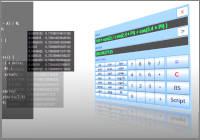
This VCSSL program is a simple tool which plots parametric expressions (formulas) of the form of x(t) and y(t) to the 2D graph.
How to Use
Download and Extract
At first, click the "Download" button at the above of the title of this page by your PC (not smartphone). A ZIP file will be downloaded.
Then, please extract the ZIP file. On general environment (Windows®, major Linux distributions, etc.), you can extract the ZIP file by selecting "Extract All" and so on from right-clicking menu.
» If the extraction of the downloaded ZIP file is stopped with security warning messages...
Execute this Program
Next, open the extracted folder and execute this VCSSL program.
For Windows
Double-click the following batch file to execute:
For Linux, etc.
Execute "VCSSL.jar" on the command-line terminal as follows:
java -jar VCSSL.jar
» If the error message about non-availability of "java" command is output...
How to Use After Executing the Program
Windows and UI
Following three-windows will be launched. The left one is the input-window, and the right one is the graph-window. The animation-window will be launched when ANIMATION button have clicked.

Input an Expression to Plot
At first, with using a parameter "t", please input an expressions of x(t) and y(t) you want to plot into the text fields labeled with "x(t) =" and "y(t) =" at the top of the input-window. There are some points to write the expression:
- Use small character for "t".
- Arithmetic operations such as "+" and "-" are available. However, some symbols of operators are different with handwriting expressions. Use "*" for multiplication, and use "/" for division.
- Multiplication and division are prior in calculation order than addition and subtraction.
- You can mathmatical functions such as "sin" and "cos" in the expression. The value of circle ratio is available as "PI" (capital character).
- The exponentiation operator is "**". For example, t2 should be written as "t**2" in the expression.
Plot a Graph
After inputting the expression, please click "PLOT" button at the middle of the input-window, and the expression will be plot to the 2D graph.
The graph will be plotted with moving the parameter t little by little from t-min to t-max, and finally will be drawn as a lines-and-points* of t-N nodes. Each points on the graph represent coordinate points of (x(t), y(t)).
* If you plot lines-only graph, please see Other Features.
Take Animation
Click ANIMATION button at the middle of the input-window to play animation. Then animation-window will be launched.
Animation will be played by plotting points of the graph one by one at each frames (time unit of the animation). You can check the current value of the frame counter by the value of "count =" label on the animation-window.
Plot new Expressions over the Current Graph
If you want to plot other expressions over the current graph, simply modify expressions of "x(t) =" and "y(t) =" text-fields, and click again "PLOT" button. New expressions will be plotted over the current graph by using a different color.
Clear All Contents of the Current Graph
If you want to clear all contents of the current graph, please click "CLEAR" button at middle of the input-window.
Other Features
With the default settings, the graph will be plotted as a lines-and-points graph. If you want to plot a lines-only graph, please disable the checkbox of "With Points" from the "Option" menu at the top of the graph-window. In addition, if you want to change the width of lines, please disable and re-enable "With Lines" option, and you will be asked the line width.
You can modify other settings from "Edit" menu at the top of the graph-window, e.g. X & Y ranges of the graph, labels of X & Y axes, legends for each lines of the graph, etc.
You also can save settings and save the image of the current graph, from "File" menu at the top of the graph-window.
The 2D graph software "RINEARN Graph 2D" is used as the graph-window of this program. If you like UI and operability of the graph-window of this program, please try to use RINEARN Graph 2D for your data-analysis use.
» More Details
Code
This code is written in VCSSL.
coding UTF-8;

import Math;
import Text;
import GUI;
import File;
import tool.Graph2D;


/** The default value of the expression x(t) to plot graph */
const string DEFAULT_X_EXPRESSION = "cos(5*t)";

/** The default value of the expression y(t) to plot graph */
const string DEFAULT_Y_EXPRESSION = "sin(10*t)";

/** The default value of the maximum value of the parameter variable t. */
const string DEFAULT_T_MAX = "1.0";

/** The default value of the minimum value of the parameter variable t. */
const string DEFAULT_T_MIN = "-1.0";

/** The default value of the number of the point of the graph. */
const string DEFAULT_T_N = "300";


// Followings  are variables to store IDs of the graph and GUI components.

/** Stores the ID of the graph. */
int graph = NULL;

/** Stores the ID of the input-window. */
int window = NULL;

/** Stores the ID of the text-field of the expression of x(t). */
int xExpressionField = NULL;

/** Stores the ID of the text-field of the expression of y(t). */
int yExpressionField = NULL;

/** Stores the ID of the text-field of the maximum value of the parameter variable t. */
int tMaxField;

/** Stores the ID of the text-field of the minimum value of the parameter variable t. */
int tMinField;

/** Stores the ID of the text-field of the number of points of the graph. */
int tNField;

/** Stores the ID of the PLOT button. */
int plotButton;

/** Stores the ID of the CLEAR button. */
int clearButton;

/** Stores the ID of the ANIMATION button. */
int animationButton;

/** Stores the ID of the EXPORT button. */
int exportButton;

/** Stores the ID of the EXIT button. */
int exitButton;


/**
 * Invoked automatically when this program have started.
 */
void main(){

	// Set the console window invisible because it is not necessary for GUI program.
	hide();

	// Create (or get from the system) a 2D graph window.
	graph = getGraph2D();

	// Set the size and the location of the graph-window.
	setGraph2DLocation(graph, 330, 0);
	setGraph2DSize(graph, 720, 600);

	// Create and launch the input-window.
	createInputWindow();

	// If you want to read processings after when the user click PLOT button,
	// see "onButtonClick" function at near the bottom of this code.
}


/**
 * Plots the expression to the 2D graph.
 *
 * @param xExpression   The expression of x(t).
 * @param yExpression   The expression of y(t).
 * @param tMin   The minimum value of the parameter variable t.
 * @param tMax   The maximum value of the parameter variable t.
 * @param n   The number of points of the graph.
 */
void plotGraph( string xExpression, string yExpression, double tMax, double tMin, int n ){

	// Arrays storing vertices data to transfer the graph.
	double xArray[n];
	double yArray[n];

	// Coordinate variables of a point.
	double x;
	double y;
	double t;

	// Check the syntax of the expression x(t) and y(t).
	if( !evaluable(xExpression, 0.0) ){
		alert("The form of the expression of \"x(t)\" is wrong.");
		return;
	}
	if( !evaluable(yExpression, 0.0) ){
		alert("The form of the expression of \"y(t)\" is wrong.");
		return;
	}

	// Evaluate coordinate values (x,y) with n-1 equally divided values of between t-max and t-min,
	// and store them to arrays.
	float dt = (tMax-tMin)/(n-1);
	for( int i=0; i<n; i++ ){
		t = tMin + i * dt;

		// Evaluate the value of x(t) and y(t).
		// (The second argument is an option to get the value of float type)
		x = feval( xExpression, 0.0 );
		y = feval( yExpression, 0.0 );

		xArray[ i ] = x;
		yArray[ i ] = y;
	}

	// Transfer arrays to the graph, and plot it.
	addGraph2DData( graph, xArray, yArray );
}


/**
 * Creates GUI components of the input-window and launch it.
 */
void createInputWindow(){

	int fontSize = 20;
	int leftWidth = 120;
	int rightX = leftWidth + 10;
	int rightWidth = 160;
	int buttonWidth = 270;

	window = newWindow( 0, 0, 320, 580, "Input Window" );

	int xExpressionLabel = newTextLabel( 10, 10, leftWidth, 25, "x( t ) =" );
	setComponentFontSize(xExpressionLabel, fontSize);
	mountComponent( xExpressionLabel, window );

	xExpressionField = newTextField( rightX, 10, rightWidth, 25, DEFAULT_X_EXPRESSION );
	setComponentFontSize(xExpressionField, fontSize);
	mountComponent( xExpressionField, window );

	int yExpressionLabel = newTextLabel( 10, 50, leftWidth, 25, "y( t ) =" );
	setComponentFontSize(yExpressionLabel, fontSize);
	mountComponent( yExpressionLabel, window );

	yExpressionField = newTextField( rightX, 50, rightWidth, 25, DEFAULT_Y_EXPRESSION );
	setComponentFontSize(yExpressionField, fontSize);
	mountComponent( yExpressionField, window );


	int tMaxLabel = newTextLabel( 10, 90, leftWidth, 25, "t-max =" );
	setComponentFontSize(tMaxLabel, fontSize);
	mountComponent( tMaxLabel, window );

	tMaxField = newTextField( rightX, 90, rightWidth, 25, DEFAULT_T_MAX );
	setComponentFontSize(tMaxField, fontSize);
	mountComponent( tMaxField, window );

	int tMinLabel = newTextLabel( 10, 120, leftWidth, 25, "t-min =" );
	setComponentFontSize(tMinLabel, fontSize);
	mountComponent( tMinLabel, window );

	tMinField = newTextField( rightX, 120, rightWidth, 25, DEFAULT_T_MIN );
	setComponentFontSize(tMinField, fontSize);
	mountComponent( tMinField, window );


	int tNLabel = newTextLabel( 10, 150, leftWidth, 25, "t-N =" );
	setComponentFontSize(tNLabel, fontSize);
	mountComponent( tNLabel, window );

	tNField = newTextField( rightX, 150, rightWidth, 25, DEFAULT_T_N );
	setComponentFontSize(tNField, fontSize);
	mountComponent( tNField, window );


	int buttonGridPanel = newGridPanel( 10, 240, buttonWidth, 280, "", 5, 1 );
	mountComponent( buttonGridPanel, window );

	plotButton = newButton( 0, 0, 0, 0, "PLOT" );
	setComponentFontSize(plotButton, fontSize);
	mountComponent( plotButton, buttonGridPanel );

	animationButton = newButton( 0, 0, 0, 0, "ANIMATION" );
	setComponentFontSize(animationButton, fontSize);
	mountComponent( animationButton, buttonGridPanel );

	clearButton = newButton( 0, 0, 0, 0, "CLEAR" );
	setComponentFontSize(clearButton, fontSize);
	mountComponent( clearButton, buttonGridPanel );

	exportButton = newButton( 0, 0, 0, 0, "EXPORT" );
	setComponentFontSize(exportButton, fontSize);
	mountComponent( exportButton, buttonGridPanel );

	exitButton = newButton( 0, 0, 0, 0, "EXIT" );
	setComponentFontSize(exitButton, fontSize);
	mountComponent( exitButton, buttonGridPanel );
}


/**
 * Exports data of the current graph to a file.
 */
void exportFile(){

	// Choose the file path to export.
	string exportFilePath[] = choose();
	if (length(exportFilePath) == 0) {
		return; // Case of nothing has chosen.
	}

	// If the file path has no extension, append it.
	string name = getFileName( exportFilePath[0] );
	if( indexOf(name,".") < 0 ){
		exportFilePath += ".dat2d";
	}

	// Export to a file.
	exportGraph2DData(graph, exportFilePath[0], "COLUMN_TSV");

	// Show message of completion.
	pop( "SAVED: " + exportFilePath[0] );
}


/**
 * Invoked when buttons are clicked (event handler).
 *
 * @param id   The ID of the clicked button.
 */
void onButtonClick( int id ){

	// Case of PLOT button is clicked.
	if( id == plotButton ){

		// Get inputted expressions of x(t) and y(t).
		string xExpression = getComponentText( xExpressionField );
		string yExpression = getComponentText( yExpressionField );

		// Check syntax of inputted contents of t-max, t-min, t-N.
		if( !evaluable( getComponentText( tMaxField ), 0.0 ) ){
			alert("The form of the expression of t-max is wrong.");
			return;
		}
		if( !evaluable( getComponentText( tMinField ), 0.0 ) ){
			alert("The form of the expression of t-min is wrong.");
			return;
		}
		if( !evaluable( getComponentText( tNField ), 0.0 ) ){
			alert("The form of the expression of t-N is wrong.");
			return;
		}

		// Evaluate values of t-max, t-min, t-N.
		float tMax = feval( getComponentText( tMaxField ), 0.0 );
		float tMin = feval( getComponentText( tMinField ), 0.0 );
		int tN = feval( getComponentText( tNField ), 0.0 );

		// Plot inputted expressions of x(t) and y(t) to the graph.
		// ( "plotGraph" function is declared at near the top of this program. )
		plotGraph( xExpression, yExpression, tMax, tMin, tN );
		return;
	}

	// Case of CLEAR button is clicked.
	if( id == clearButton ){
		clearGraph2D(graph);
		return;
	}

	// Case of ANIMATION button is clicked.
	if( id == animationButton ){
		setGraph2DAnimation( graph, "TRACE", true );
		return;
	}

	// Case of EXPORT button is clicked.
	if( id == exportButton ){
		exportFile();
		return;
	}

	// Case of EXIT button is clicked.
	if( id == exitButton ){
		exit();
		return;
	}
}


/**
 * Invoked when windows are closed (event handler).
 *
 * @param id   The ID of the closed window.
 */
void onWindowClose( int id ){
	if( id == window ){
		exit();
		return;
	}
}


/**
 * Invoked when graphs are closed (event handler).
 *
 * @param id   The ID of the closed graph.
 */
void onGraph2DClose( int id ){
	if( id == graph ){
		exit();
		return;
	}
}
License
This VCSSL/Vnano code (files with the ".vcssl" or ".vnano" extensions) is released under the CC0 license, effectively placing it in the public domain. If any sample code in C, C++, or Java is included in this article, it is also released under the same terms. You are free to use, modify, or repurpose it as you wish.
* The distribution folder also includes the VCSSL runtime environment, so you can run the program immediately after downloading.
The license for the runtime is included in the “License” folder.
(In short, it can be used freely for both commercial and non-commercial purposes, but the developers take no responsibility for any consequences arising from its use.)
For details on the files and licenses included in the distribution folder, please refer to "ReadMe.txt".
* The Vnano runtime environment is also available as open-source, so you can embed it in other software if needed. For more information, see here.

|
3D Graph Plotting Tool for Animating Data Loaded from Multiple Files |
|
 |
A simple tool which plots 3D animation graphs by loading multiple data files. |
|
2D Graph Plotting Tool for Animating Data Loaded from Multiple Files |
|
 |
A simple tool which plots 2D animation graphs by loading multiple data files. |
|
3D Graph Tool for Plotting & Animating Expressions of the Form of "z = f(x,y,t)" |
|
 |
A simple tool which plots the expression (formula) of the form of "z = f(x,y,t)" to the 3D graph, and plays it as animation. |
|
2D Graph Tool for Plotting & Animating Expressions of the Form of "y = f(x,t)" |
|
 |
A simple tool which plots the expression (formula) of the form of "y = f(x,t)" to the 2D graph, and plays it as animation. |
|
3D Graph Tool for Plotting & Animating Parametric Expressions of the Form of x(t), y(t), z(t) |
|
 |
A simple tool which plots parametric expressions (formulas) of the form of x(t), y(t), z(t) to the 3D graph, and plays it as animation. |
|
2D Graph Tool for Plotting & Animating Parametric Expressions of the Form of x(t) and y(t) |
|
 |
A simple tool which plots parametric expressions (formulas) of the form of x(t) and y(t) to the 2D graph, and plays it as animation. |
|
3D Graph Tool for Plotting Expressions of the Form of "z = f(x,y)" |
|
 |
A simple tool which plots the expression (formula) of the form of "z = f(x,y)" to the 3D graph. |
|
2D Graph Tool for Plotting Expressions of the Form of "y = f(x)" |
|
 |
A simple tool which plots the expression (formula) of the form of "y = f(x)" to the 2D graph. |
|
Animating a 3D Graph by Continuously Plotting Arrays (Surface/Mesh Plot) |
|
 |
Explains how to create 3D surface/mesh graph animations by updating arrays over time. |
|
Animating a 3D Graph by Continuously Plotting Arrays (Point/Line Plot) |
|
 |
Explains how to create 3D point/line graph animations by updating arrays over time. |
|
Animating a 2D Graph by Continuously Plotting Arrays |
|
 |
Explains how to create 2D graph animations by updating arrays over time. |
|
Plotting Arrays on a 3D Graph (Surface/Mesh Plot) |
|
 |
Explains how to plot coordinate data stored in an array on a 3D surface/mesh graph with sample code. |
|
Plotting a File on a 3D Graph (Surface/Mesh Plot) |
|
 |
Explains how to plot coordinate data from a file on a 3D surface/mesh graph with sample code. |
|
Plotting Arrays on a 3D Graph (Point/Line Graph) |
|
 |
Explains how to plot coordinate data stored in an array on a 3D graph with sample code. |
|
Plotting Arrays on a 2D Graph |
|
 |
Explains how to plot coordinate data stored in an array on a 2D graph with sample code. |
|
Plotting a File on a 3D Graph (Point/Line Graph) |
|
 |
Explains how to plot coordinate data from a file on a 3D graph with sample code. |
|
Plotting a File on a 2D Graph |
|
 |
Explains how to plot coordinate data from a file on a 2D graph with sample code. |