





For details, see How to Use.
3D Graph Tool for Plotting & Animating Expressions of the Form of "z = f(x,y,t)"
This VCSSL program is a simple tool which plots the expression (formula) of the form of "z = f(x,y,t)" to the 3D graph, and plays it as animation.
How to Use
Download and Extract
At first, click the "Download" button at the above of the title of this page by your PC (not smartphone). A ZIP file will be downloaded.
Then, please extract the ZIP file. On general environment (Windows®, major Linux distributions, etc.), you can extract the ZIP file by selecting "Extract All" and so on from right-clicking menu.
» If the extraction of the downloaded ZIP file is stopped with security warning messages...
Execute this Program
Next, open the extracted folder and execute this VCSSL program.
For Windows
Double-click the following batch file to execute:
For Linux, etc.
Execute "VCSSL.jar" on the command-line terminal as follows:
java -jar VCSSL.jar
» If the error message about non-availability of "java" command is output...
How to Use After Executing the Program
Windows and UI
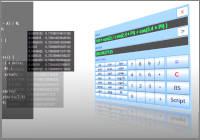
Following three-windows will be launched. The left one is the input-window, and the right-bottom one is the graph-window. The animation-window will be launched when SET button have clicked.

Input an Expression to Plot
At first, please input an expression you want to plot into the text field labeled with "z(x,y,t) =" at the top of the input-window. There are some points to write the expression:
- Use small character for "x", "y" and "t".
- Arithmetic operations such as "+" and "-" are available. However, some symbols of operators are different with handwriting expressions. Use "*" for multiplication, and use "/" for division.
- Multiplication and division are prior in calculation order than addition and subtraction.
- You can mathmatical functions such as "sin" and "cos" in the expression. The value of circle ratio is available as "PI" (capital character).
- The exponentiation operator is "**". For example, x2 should be written as "x**2" in the expression.
Plot a Graph
After inputting the expression, please click the "SET" button at the middle of the input-window, and the expression will be plot to the 3D graph.
The graph will be drawn as a membrane graph of "x-N" ☓ "y-N" mesh. You can modify the value of "x-N" "y-N" on the input-window. Larger value of "x-N" and "y-N" makes graph more smooth.
Animation
When you have clicked the SET button, the animation-window will be launched. Then click the PLAY button on the animation-window to play the animation.
The animation will be played by repeatedly re-plotting the graph with changing the value of the time-parameter "t" little by little.
The label of the PLAY button changes to "STOP" during the animation is playing. If you want to stop the animation, click the STOP button. You can change the value of the time-parameter "t" manually by the slider even when the animation is stopping.
Other Features
If you want to change the background color to white from black, please disable "Black Screen" checkbox from the "Option" menu at the top of the graph-window. The white background is suitable for printing use, and black background is suitable for monitor of PC.
Also, if you want to plot a 3D graph as a mesh, not a menbrane, please disable "With Membranes" option and enable "With Meshes" option, from the "Option" menu on the menu bar at the top of the graph window.
You can modify other settings from "Edit" menu at the top of the graph-window, e.g. labels of X & Y & Z axes, scales, light & camera, colors, etc.
You also can save settings and save the image of the current graph, from "File" menu at the top of the graph-window.
The 3D graph software "RINEARN Graph 3D" is used as the graph-window of this program. If you like UI and operability of the graph-window of this program, please try to use RINEARN Graph 3D for your data-analysis use.
» More Details
Code
This code is written in VCSSL.
coding UTF-8;

import Math;
import Text;
import GUI;
import File;
import tool.Graph3D;


/** The default value of the expression z(x,y,t) to plot graph */
const string DEFAULT_Z_EXPRESSION = "sin(3*x) + cos(3*y-t)";

/** The default value of the maximum value of the x-range of the graph. */
const string DEFAULT_X_MAX = "1.0";

/** The default value of the minimum value of the x-range of the graph. */
const string DEFAULT_X_MIN = "-1.0";

/** The default value of the number of the point toward x-direction of the mesh. */
const string DEFAULT_X_N = "60";

/** The default value of the maximum value of the y-range of the graph. */
const string DEFAULT_Y_MAX = "1.0";

/** The default value of the minimum value of the y-range of the graph. */
const string DEFAULT_Y_MIN = "-1.0";

/** The default value of the number of the point toward y-direction of the mesh. */
const string DEFAULT_Y_N = "60";

/** The default value of the maximum value of the time-parameter t. */
const string DEFAULT_MAX = "100.0";

/** The default value of the minimum value of the time-parameter t. */
const string DEFAULT_MIN = "0.0";

/** The default directory to which image files will be output. */
const string DEFAULT_OUTPUT_DIRECTORY_PATH = "./output";

/** The default names of saved image files. */
const string DEFAULT_OUTPUT_FILE_NAME_HEAD = "sample3d_";


/** Stores the expression z(x,y,t) during the animation. */
string zExpression;

/** Stores the value of the maximum value of the x-range during the animation. */
float xMax;

/** Stores the value of the minimum value of the x-range during the animation. */
float xMin;

/** Stores the number of the point toward x-direction of the mesh during the animation. */
int xN;

/** Stores the value of the maximum value of the y-range during the animation. */
float yMax;

/** Stores the value of the minimum value of the y-range during the animation. */
float yMin;

/** Stores the number of the point toward y-direction of the mesh during the animation. */
int yN;

/** Stores the maximum value of the time-parameter t during the animation. */
float tMax;

/** Stores the maximum value of the time-parameter t during the animation. */
float tMin;


// Followings are variables for animations, for plottings, and to control the flow.

/** Stores x coordinate values of vertices to plot the graph. */
double xVertexArray[0][0];

/** Stores y coordinate values of vertices to plot the graph. */
double yVertexArray[0][0];

/** Stores z coordinate values of vertices to plot the graph. */
double zVertexArray[0][0];

/** A flag to control the continuation of the main loop (set this false to break main loop). */
bool mainLoopState = true;

/** A flag to control the state of the animation (true: playing, false: stopping). */
bool animationState = false;

/** The frame counter (which counts-up the number of rendered frames from the start of the animation). */
int frameCounter;

/** The value of the frame counter at the end of the animation. The time-interval of each frames is given by dividing the time range by this value. */
int frameCounterMax = 1000;

/** The value of the waiting time (millisec) between each frames. */
int animationWait = 30;

/** If this flag is true, the graph will be re-plotted in the main loop, and then this flag will be turned into false. */
bool plotRequest = false;

/** If this flag is true, graph settings will be re-loaded in the main loop, and then this flag will be turned into false. */
bool reloadRequest = false;

/** The flag to perform exporting of all animation images in the main-loop. */
bool animationExportRequest = false;


// Followings are variables to store IDs of the graph and GUI components.

/** Stores the ID of the graph. */
int graph = NULL;

/** Stores the ID of the input-window. */
int inputWindow = NULL;

/** Stores the ID of the text-field of the expression z(x,y,t). */
int expressionField = NULL;

/** Stores the ID of the text-field of the maximum value of x-range. */
int xMaxField = NULL;

/** Stores the ID of the text-field of the minimum value of x-range. */
int xMinField = NULL;

/** Stores the ID of the text-field of the number of the point toward x-direction of the mesh. */
int xNField = NULL;

/** Stores the ID of the text-field of the maximum value of y-range. */
int yMaxField = NULL;

/** Stores the ID of the text-field of the minimum value of y-range. */
int yMinField = NULL;

/** Stores the ID of the text-field of the number of the point toward y-direction of the mesh. */
int yNField = NULL;

/** Stores the ID of the text-field of the maximum (end) value of the time-parameter t. */
int tMaxField = NULL;

/** Stores the ID of the text-field of the minimum (begin) value of the time-parameter t. */
int tMinField = NULL;

/** Stores the ID of the text-field of the maximum value of z-range. */
int zMaxField = NULL;

/** Stores the ID of the text-field of the minimum value of z-range. */
int zMinField = NULL;

/** Stores the ID of the checkbox to control whether adjust the z-range automatically or not. */
int zAutoRangeBox = NULL;

/** Stores the ID of the SET button. */
int setButton = NULL;

/** Stores the ID of the SAVE-IMAGES button. **/
int outputButton = NULL;

/** Stores the ID of the EXIT button. */
int exitButton = NULL;

/** Stores the ID of the text-field to input the path of the folder to which image files will be output. */
int outputPathField = NULL;

/** Stores the ID of the text-field to select the folder to which image files will be output. */
int outputPathSelectButton = NULL;

/** Stores the ID of the animation-window. */
int animationWindow = NULL;

/** Stores the ID of the PLAY button. */
int animationButton = NULL;

/** Stores the ID of the time-controlling slider. */
int animationSlider = NULL;

/** Stores the ID of the time-displaying label. */
int animationLabel = NULL;


/**
 * Invoked automatically when this program have started.
 */
void main(){

	// Set the console window invisible because it is not necessary for GUI program.
	hide();

	// Create (or get from the system) a 3D graph window.
	graph = getGraph3D();
	clearGraph3D(graph);

	// Set the size and the location of the graph-window.
	setGraph3DLocation(graph, 340, 120);
	setGraph3DSize(graph, 720, 600);

	// Set options of the 3D graph.
	setGraph3DOption( graph, "WITH_POINTS", false );
	setGraph3DOption( graph, "WITH_LINES", false );
	setGraph3DOption( graph, "WITH_MEMBRANES", true );
	setGraph3DOption( graph, "WITH_MESHES", false );

	// Create and launch the input-window.
	createSettingWindow();


	// The main loop (which continues looping until the program will exit).
	while( mainLoopState ){

		if ( animationExportRequest ) {
			string outputDirectoryPath = getComponentText(outputPathField);
			if (!exists(outputDirectoryPath)) {
				alert("The specified folder \"" + outputDirectoryPath + "\" does not exist.");
			} else if (!isdir(outputDirectoryPath)) {
				alert("The specified path \"" + outputDirectoryPath + "\" is not the folder.");
			} else {
				outputDirectoryPath = getFilePath(outputDirectoryPath);
				outputImages(outputDirectoryPath);
			}
			frameCounter = 0;
			plotRequest = true;
			animationExportRequest = false;
		}

		if ( animationExportRequest ) {
			sleep( animationWait );
			continue;
		}

		if( animationState ){
			frameCounter++;
			if( frameCounter <= frameCounterMax ){
				setComponentValueInt( animationSlider, frameCounter );
			}else{
				setAnimationState( false );
			}
		}

		if (reloadRequest) {
			reloadRange();
			plotGraph( frameCounter );
			if( animationWindow < 0 ){
				createAnimationWindow();
			}else{
				setComponentVisible( animationWindow, true );
			}
			setTimer(0);
			reloadRequest = false;
		}

		if( plotRequest ){
			plotGraph( frameCounter );
			plotRequest = false;
		}

		sleep( animationWait );
	}

	exit();

}


/**
 * Plots the expression to the 3D graph.
 *
 * @param frameIndex the index of the animation frame (the first frame is 0, the next is 1, ...) to be plotted.
 */
void plotGraph(int frameIndex){

	// Get the value of the time parameter t from the current value of the frame counter.
	float dt = (tMax-tMin)/frameCounterMax;
	float t = tMin + frameIndex * dt;

	// Allocate arrays for storing vertices and transferring them to graph.
	alloc[yN][xN] xVertexArray;
	alloc[yN][xN] yVertexArray;
	alloc[yN][xN] zVertexArray;

	// coordinate variables of a point.
	double x;
	double y;
	double z;

	// Calculate and store coordinate values of all vertices of the 3D mesh.
	for( int i=0; i<yN; i++ ){
		for( int j=0; j<xN; j++ ){
			x = xMin + (xMax-xMin)*j/(xN-1);
			y = yMin + (yMax-yMin)*i/(yN-1);
			z = feval( zExpression, 0.0 );
			xVertexArray[ i ][ j ] = x;
			yVertexArray[ i ][ j ] = y;
			zVertexArray[ i ][ j ] = z;
		}
	}

	// Transfer arrays to the graph, and plot it.
	setGraph3DData( graph, xVertexArray, yVertexArray, zVertexArray );
	t = round(t, 8, HALF_UP_SIGNIF);
	setComponentText( animationLabel, "t = " + t );
}


/**
 * Calculates appropriate z-range of the graph for the animation and set it to the graph.
 */
void reloadRange(){

	bool fixRange = getComponentValueBool( zAutoRangeBox );

	if( fixRange ){

		hideGraph3D( graph );

		double zRange[] = getRangeZ();
		zRange[0] = round(zRange[0], 5, HALF_UP_SIGNIF);
		zRange[1] = round(zRange[1], 5, HALF_UP_SIGNIF);

		setGraph3DAutoRange( graph, false, false, false );
		setGraph3DRange( graph, xMax, xMin, yMax, yMin, zRange[0], zRange[1] );

		showGraph3D( graph );
		setComponentText( zMaxField, ""+zRange[0] );
		setComponentText( zMinField, ""+zRange[1] );

	}else{

		if( !evaluable( getComponentText( zMaxField ), 0.0 ) ){
			alert("The form of the expression of \"z-max\" is wrong.");
			return;
		}
		if( !evaluable( getComponentText( zMinField ), 0.0 ) ){
			alert("The form of the expression of \"y-min\" is wrong.");
			return;
		}
		double zMax = feval( getComponentText( zMaxField ), 0.0 );
		double zMin = feval( getComponentText( zMinField ), 0.0 );
		setGraph3DAutoRange( graph, false, false, false );
		setGraph3DRange( graph, xMax, xMin, yMax, yMin, zMax, zMin );
	}
}


/**
 * Finds and returns maximum and minimum values of z.
 *
 * @return An array storing the minimum value to [0] and the maximum value to [1].
 */
double[] getRangeZ(){
	double zMin = 1.0E30;
	double zMax = 1.0E-30;

	int rate = 0;
	int rateStock = 0;

	float dt = (tMax-tMin)/frameCounterMax;
	float dx = (xMax-xMin)/(xN-1);
	float dy = (yMax-yMin)/(yN-1);

	for( int frameCounter=0; frameCounter<=frameCounterMax; frameCounter++ ){
		for( int yi=0; yi<yN; yi++ ){
			for( int xi=0; xi<xN; xi++ ){
				float t = tMin + frameCounter * dt;
				float x = xMin + xi * dx;
				float y = yMin + yi * dy;
				float z = feval( zExpression, 0.0 );
				if( z < zMin ){
					zMin = z;
				}
				if( z > zMax ){
					zMax = z;
				}
			}
		}

		rate = frameCounter*10 / (frameCounterMax-1);
		if( rate != rateStock ){
			setComponentText( setButton, "Scan: " + rate + "0 %" );
		}
		rateStock = rate;
	}
	setComponentText( setButton, "SET" );
	clear();

	double range[] = { zMax, zMin };
	return range;
}


/**
 * Sets the state of the animation (playing or stopping).
 *
 * @param state   true means playing and false means stopping.
 */
void setAnimationState( bool state ){

	animationState = state;

	if( state ){

		// Reset the value of the frame counter if it is the end value of the animation.
		if( getComponentValueInt( animationSlider ) == frameCounterMax ){
			resetTimer();
		}
		setComponentText( animationButton, "STOP" );
	}else{
		setComponentText( animationButton, "PLAY" );
	}
}


/**
 * Sets the value of the frame counter (the graph will be re-plotted automatically when this function will be called).
 *
 * @param value   The value of framecounter you want to set.
 */
void setTimer( int t ){
	frameCounter = t;
	plotRequest = true;
}


/**
 * Resets the value of the frame counter and the value of the time-displaying label.
 */
void resetTimer(){
	frameCounter = 0;
	double tMin = getComponentText( tMinField );
	setComponentText( animationLabel, "t = " + tMin );
	setComponentValueInt( animationSlider, 0 );
	return;
}


/**
 * Saves graphs as image files.
 *
 * @param outputDirectoryPath   the path of the folder to which image files will be saved.
 */
void outputImages(string outputDirectoryPath) {
	if (animationWindow == NULL) {
		popup("Please push \"SET\" button to reflect setting parameters.");
		return;
	}

	string outputFileNameHead = input("Input the file name (excluding number parts) to be saved:", DEFAULT_OUTPUT_FILE_NAME_HEAD);
	if (outputFileNameHead == NULL) {
		return;
	}

	setComponentText(outputButton, "Saving...");

	hideGraph3D(graph);
	hideComponent(animationWindow);
	hideComponent(inputWindow);
	show();

	setAnimationState(false);
	plotRequest = false;


	popup(
		"This save processing might take few minutes." + EOL +
		"Please wait without any operations after clicking \"OK\" button."
	);


	// Repeats plotting and saving for all data files.
	sleep(1000);
	for (int frameIndex=0; frameIndex<=frameCounterMax; frameIndex++) {
		plotGraph(frameIndex);
		string outputFileName = outputFileNameHead + frameIndex + ".png";
		string outputFilePath = getFilePath(outputFileName, outputDirectoryPath);
		println("Save image (" + frameIndex + "/" + frameCounterMax + "): " + outputFilePath);
		exportGraph3D(graph, outputFilePath, "PNG");
		sleep(20);
	}


	showGraph3D(graph);
	showComponent(animationWindow);
	showComponent(inputWindow);
	hide();

	setComponentText(outputButton, "SAVE IMAGE");
	popup("Saved. Folder: " + EOL + outputDirectoryPath);

	frameCounter = 0;
	setComponentValueInt( animationSlider, 0 );
}


/**
 * Creates GUI components of the input-window and launch it.
 */
void createSettingWindow(){

	int leftWidth = 100;
	int rightX = leftWidth + 10;
	int rightWidth = 190;
	int buttonWidth = 290;
	int fontSize = 20;

	inputWindow = newWindow( 0, 0, 340, 640, "Input Window" );

	int expressionLabel = newTextLabel( 10, 10, leftWidth, 25, "z(x,y,t) = " );
	setComponentFontSize(expressionLabel, fontSize);
	mountComponent( expressionLabel, inputWindow );

	expressionField = newTextField( rightX, 10, rightWidth, 25, DEFAULT_Z_EXPRESSION );
	setComponentFontSize(expressionField, fontSize);
	mountComponent( expressionField, inputWindow );


	int lowX = 10;
	int columnWidth = 70;


	int xMaxLabel = newTextLabel( lowX, 60, columnWidth, 25, "x-max" );
	setComponentFontSize(xMaxLabel, fontSize);
	mountComponent( xMaxLabel, inputWindow );

	xMaxField = newTextField( lowX+columnWidth, 60, columnWidth, 25, DEFAULT_X_MAX );
	setComponentFontSize(xMaxField, fontSize);
	mountComponent( xMaxField, inputWindow );

	int xMinLabel = newTextLabel( lowX, 90, columnWidth, 25, "x-min" );
	setComponentFontSize(xMinLabel, fontSize);
	mountComponent( xMinLabel, inputWindow );

	xMinField = newTextField( lowX+columnWidth, 90, columnWidth, 25, DEFAULT_X_MIN );
	setComponentFontSize(xMinField, fontSize);
	mountComponent( xMinField, inputWindow );

	int xNLabel = newTextLabel( lowX, 120, columnWidth, 25, "x-N" );
	setComponentFontSize(xNLabel, fontSize);
	mountComponent( xNLabel, inputWindow );

	xNField = newTextField( lowX+columnWidth, 120, columnWidth, 25, DEFAULT_X_N );
	setComponentFontSize(xNField, fontSize);
	mountComponent( xNField, inputWindow );


	lowX = 160;
	columnWidth = 70;

	int yMaxLabel = newTextLabel( lowX, 60, columnWidth, 25, "y-max" );
	setComponentFontSize(yMaxLabel, fontSize);
	mountComponent( yMaxLabel, inputWindow );

	yMaxField = newTextField( lowX+columnWidth, 60, columnWidth, 25, DEFAULT_Y_MAX );
	setComponentFontSize(yMaxField, fontSize);
	mountComponent( yMaxField, inputWindow );

	int yMinLabel = newTextLabel( lowX, 90, columnWidth, 25, "y-min" );
	setComponentFontSize(yMinLabel, fontSize);
	mountComponent( yMinLabel, inputWindow );

	yMinField = newTextField( lowX+columnWidth, 90, columnWidth, 25, DEFAULT_Y_MIN );
	setComponentFontSize(yMinField, fontSize);
	mountComponent( yMinField, inputWindow );

	int yNLabel = newTextLabel( lowX, 120, columnWidth, 25, "y-N" );
	setComponentFontSize(yNLabel, fontSize);
	mountComponent( yNLabel, inputWindow );

	yNField = newTextField( lowX+columnWidth, 120, columnWidth, 25, DEFAULT_Y_N );
	setComponentFontSize(yNField, fontSize);
	mountComponent( yNField, inputWindow );


	int tMaxLabel = newTextLabel( 10, 170, leftWidth, 25, "t-max =" );
	setComponentFontSize(tMaxLabel, fontSize);
	mountComponent( tMaxLabel, inputWindow );

	tMaxField = newTextField( rightX, 170, rightWidth, 25, DEFAULT_MAX );
	setComponentFontSize(tMaxField, fontSize);
	mountComponent( tMaxField, inputWindow );

	int tMinLabel = newTextLabel( 10, 200, leftWidth, 25, "t-min =" );
	setComponentFontSize(tMinLabel, fontSize);
	mountComponent( tMinLabel, inputWindow );

	tMinField = newTextField( rightX, 200, rightWidth, 25, DEFAULT_MIN );
	setComponentFontSize(tMinField, fontSize);
	mountComponent( tMinField, inputWindow );


	zAutoRangeBox = newCheckBox( 10, 250, 500, 20, "Auto Z-Range", true );
	mountComponent( zAutoRangeBox, inputWindow );


	int zMaxLabel = newTextLabel( 10, 280, leftWidth, 25, "z-max = " );
	setComponentFontSize(zMaxLabel, fontSize);
	mountComponent( zMaxLabel, inputWindow );

	zMaxField = newTextField( rightX, 280, rightWidth, 25, "1.0" );
	setComponentFontSize(zMaxField, fontSize);
	mountComponent( zMaxField, inputWindow );

	int zMinLabel = newTextLabel( 10, 310, leftWidth, 25, "z-min = " );
	setComponentFontSize(zMinLabel, fontSize);
	mountComponent( zMinLabel, inputWindow );

	zMinField = newTextField( rightX, 310, rightWidth, 25, "-1.0" );
	setComponentFontSize(zMinField, fontSize);
	mountComponent( zMinField, inputWindow );


	setButton = newButton( 10, 360, buttonWidth, 50, "SET" );
	setComponentFontSize(setButton, fontSize);
	mountComponent( setButton, inputWindow );

	outputButton = newButton( 10, 420, buttonWidth, 50, "SAVE IMAGE" );
	setComponentFontSize(outputButton, fontSize);
	mountComponent( outputButton, inputWindow );

	int outputPathLabel = newTextLabel( 10, 475, 80, 24, "Folder =");
	mountComponent( outputPathLabel, inputWindow );

	outputPathField  = newTextField( 90, 475, 100, 24, DEFAULT_OUTPUT_DIRECTORY_PATH);
	mountComponent( outputPathField, inputWindow );

	outputPathSelectButton = newButton( 190, 475, 90, 24, "SELECT" );
	mountComponent( outputPathSelectButton, inputWindow );

	exitButton = newButton( 10, 520, buttonWidth, 50, "EXIT" );
	setComponentFontSize(exitButton, fontSize);
	mountComponent( exitButton, inputWindow );
}


/**
 * Creates GUI components of the animation-window and launch it.
 */
void createAnimationWindow(){

	animationWindow = newWindow( 340, 0, 500, 120, "ANIMATION" );

	animationButton = newButton( 10, 10, 100, 50, "PLAY" );
	mountComponent( animationButton, animationWindow );

	animationSlider = newHorizontalSlider( 120, 10, 300, 30, 0, frameCounterMax, 0 );
	mountComponent( animationSlider, animationWindow );

	animationLabel = newTextLabel( 125, 40, 300, 20, "" );
	mountComponent( animationLabel, animationWindow );
}


/**
 * Invoked when buttons are clicked (event handler).
 *
 * @param id   The ID of the clicked button.
 */
void onButtonClick( int id ){

	// Case of SET button is clicked.
	if( id == setButton ){

		zExpression = getComponentText( expressionField );

		if( !evaluable( getComponentText( xMaxField ), 0.0 ) ){
			alert("The form of the expression of \"x-max\" is wrong.");
			return;
		}
		if( !evaluable( getComponentText( xMinField ), 0.0 ) ){
			alert("The form of the expression of \"x-min\" is wrong.");
			return;
		}
		if( !evaluable( getComponentText( xNField ), 0.0 ) ){
			alert("The form of the expression of \"x-N\" is wrong.");
			return;
		}
		if( !evaluable( getComponentText( yMaxField ), 0.0 ) ){
			alert("The form of the expression of \"y-max\" is wrong.");
			return;
		}
		if( !evaluable( getComponentText( yMinField ), 0.0 ) ){
			alert("The form of the expression of \"y-min\" is wrong.");
			return;
		}
		if( !evaluable( getComponentText( yNField ), 0.0 ) ){
			alert("The form of the expression of \"y-N\" is wrong.");
			return;
		}
		if( !evaluable( getComponentText( tMaxField ), 0.0 ) ){
			alert("The form of the expression of \"t-max\" is wrong.");
			return;
		}
		if( !evaluable( getComponentText( tMinField ), 0.0 ) ){
			alert("The form of the expression of \"t-min\" is wrong.");
			return;
		}

		xMax = feval( getComponentText( xMaxField ), 0.0);
		xMin = feval( getComponentText( xMinField ), 0.0);
		xN = feval( getComponentText( xNField ), 0.0);
		yMax = feval( getComponentText( yMaxField ), 0.0);
		yMin = feval( getComponentText( yMinField ), 0.0);
		yN = feval( getComponentText( yNField ), 0.0);
		tMax = feval( getComponentText( tMaxField ), 0.0);
		tMin = feval( getComponentText( tMinField ), 0.0);

		float x, y, t;
		if( !evaluable(zExpression, 0.0) ){
			alert("The form of the expression of \"z(x,y,t)\" is wrong.");
			return;
		}

		if( animationWindow == NULL ){
			createAnimationWindow();
			setComponentVisible(animationWindow, false);
		}

		setAnimationState( false );
		resetTimer();
		reloadRequest = true;
		return;
	}

	// Case of SAVE IMAGES button is clicked.
	if( id == outputButton ){
		animationExportRequest = true;
		return;
	}

	// Case of SELECT button under the SAVE IMAGES button is clicked.
	if ( id == outputPathSelectButton ) {
		string path = choose();
		if (!isdir(path)) {
			alert("The specified path \"" + path + "\" is not the folder.");
			path = choose();
		}
		setComponentText(outputPathField, path);
	}

	// Case of EXIT button is clicked.
	if( id == exitButton ){
		mainLoopState = false;
		return;
	}

	// Case of PLAY/STOP button is clicked.
	if( id == animationButton ){
		if( animationState ){
			setAnimationState( false );
		}else{
			setAnimationState( true );
		}
		return;
	}
}


/**
 * Invoked when sliders are moved (event handler).
 *
 * @param id   The ID of the moved slider.
 */
void onSliderMove( int id, int value ){
	if( id == animationSlider ){
		setTimer( value );
	}
}


/**
 * Invoked when windows are closed (event handler).
 *
 * @param id   The ID of the closed window.
 */
void onWindowClose( int id ){

	// Case of the input-window was closed.
	if( id == inputWindow ){
		setGraph3DAutoRange( graph, true, true, true );
		mainLoopState = false;

	// Case of the animation-window was closed.
	}else if( id == animationWindow ){
		animationState = false;

	}
}


/**
 * Invoked when graphs are closed (event handler).
 *
 * @param id   The ID of the closed graph.
 */
void onGraph3DClose( int id ){
	if( id == graph ){

		animationState = false;

	}
}
License
This VCSSL/Vnano code (files with the ".vcssl" or ".vnano" extensions) is released under the CC0 license, effectively placing it in the public domain. If any sample code in C, C++, or Java is included in this article, it is also released under the same terms. You are free to use, modify, or repurpose it as you wish.
* The distribution folder also includes the VCSSL runtime environment, so you can run the program immediately after downloading.
The license for the runtime is included in the “License” folder.
(In short, it can be used freely for both commercial and non-commercial purposes, but the developers take no responsibility for any consequences arising from its use.)
For details on the files and licenses included in the distribution folder, please refer to "ReadMe.txt".
* The Vnano runtime environment is also available as open-source, so you can embed it in other software if needed. For more information, see here.

|
3DGraphPlottingToolforAnimatingDataLoadedfromMultipleFiles |
|
 |
Asimpletoolwhichplots3Danimationgraphsbyloadingmultipledatafiles. |
|
2DGraphPlottingToolforAnimatingDataLoadedfromMultipleFiles |
|
 |
Asimpletoolwhichplots2Danimationgraphsbyloadingmultipledatafiles. |
|
3DGraphToolforPlotting&AnimatingExpressionsoftheFormof"z=f(x,y,t)" |
|
 |
Asimpletoolwhichplotstheexpression(formula)oftheformof"z=f(x,y,t)"tothe3Dgraph,andplaysitasanimation. |
|
2DGraphToolforPlotting&AnimatingExpressionsoftheFormof"y=f(x,t)" |
|
 |
Asimpletoolwhichplotstheexpression(formula)oftheformof"y=f(x,t)"tothe2Dgraph,andplaysitasanimation. |
|
3DGraphToolforPlotting&AnimatingParametricExpressionsoftheFormofx(t),y(t),z(t) |
|
 |
Asimpletoolwhichplotsparametricexpressions(formulas)oftheformofx(t),y(t),z(t)tothe3Dgraph,andplaysitasanimation. |
|
2DGraphToolforPlotting&AnimatingParametricExpressionsoftheFormofx(t)andy(t) |
|
 |
Asimpletoolwhichplotsparametricexpressions(formulas)oftheformofx(t)andy(t)tothe2Dgraph,andplaysitasanimation. |
|
3DGraphToolforPlottingExpressionsoftheFormof"z=f(x,y)" |
|
 |
Asimpletoolwhichplotstheexpression(formula)oftheformof"z=f(x,y)"tothe3Dgraph. |
|
2DGraphToolforPlottingExpressionsoftheFormof"y=f(x)" |
|
 |
Asimpletoolwhichplotstheexpression(formula)oftheformof"y=f(x)"tothe2Dgraph. |
|
Animatinga3DGraphbyContinuouslyPlottingArrays(Surface/MeshPlot) |
|
 |
Explainshowtocreate3Dsurface/meshgraphanimationsbyupdatingarraysovertime. |
|
Animatinga3DGraphbyContinuouslyPlottingArrays(Point/LinePlot) |
|
 |
Explainshowtocreate3Dpoint/linegraphanimationsbyupdatingarraysovertime. |
|
Animatinga2DGraphbyContinuouslyPlottingArrays |
|
 |
Explainshowtocreate2Dgraphanimationsbyupdatingarraysovertime. |
|
PlottingArraysona3DGraph(Surface/MeshPlot) |
|
 |
Explainshowtoplotcoordinatedatastoredinanarrayona3Dsurface/meshgraphwithsamplecode. |
|
PlottingaFileona3DGraph(Surface/MeshPlot) |
|
 |
Explainshowtoplotcoordinatedatafromafileona3Dsurface/meshgraphwithsamplecode. |
|
PlottingArraysona3DGraph(Point/LineGraph) |
|
 |
Explainshowtoplotcoordinatedatastoredinanarrayona3Dgraphwithsamplecode. |
|
PlottingArraysona2DGraph |
|
 |
Explainshowtoplotcoordinatedatastoredinanarrayona2Dgraphwithsamplecode. |
|
PlottingaFileona3DGraph(Point/LineGraph) |
|
 |
Explainshowtoplotcoordinatedatafromafileona3Dgraphwithsamplecode. |
|
PlottingaFileona2DGraph |
|
 |
Explainshowtoplotcoordinatedatafromafileona2Dgraphwithsamplecode. |